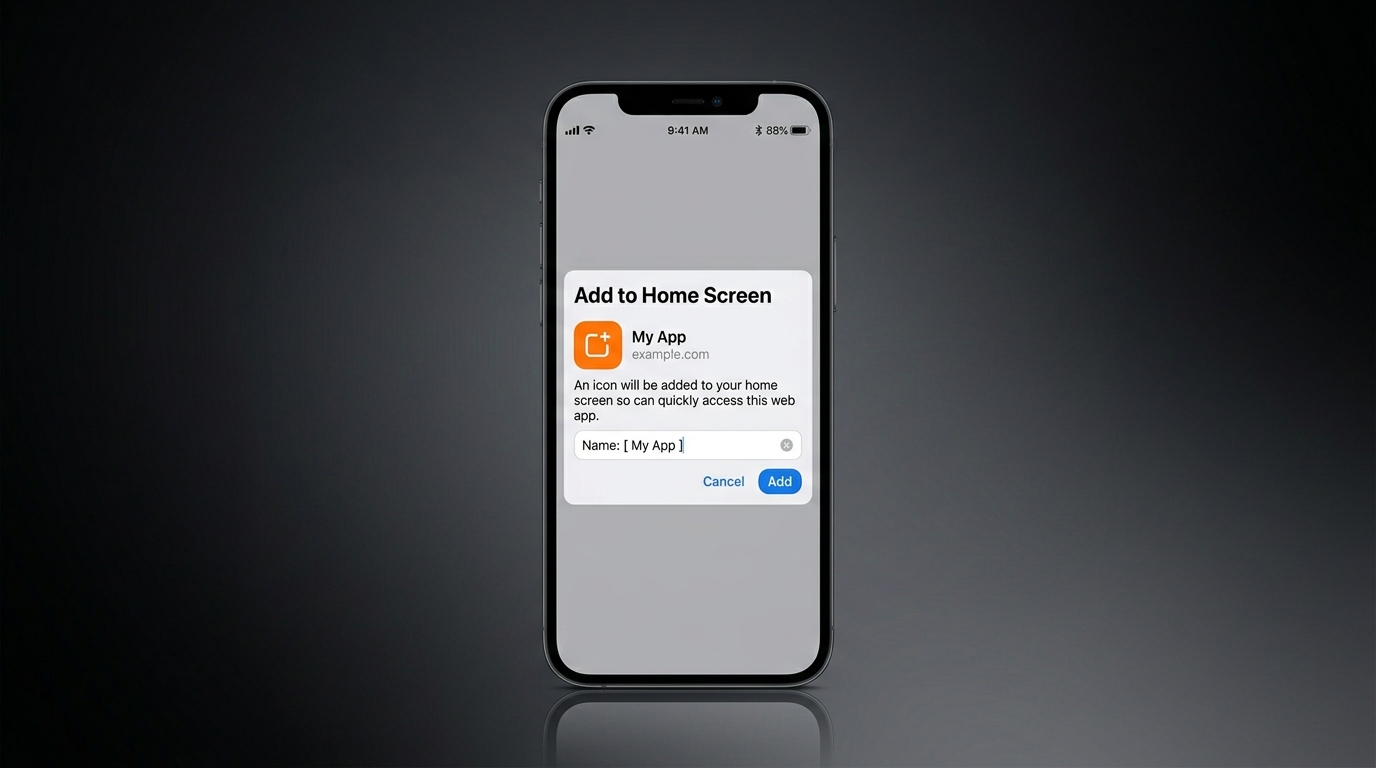
The FairPlay app is a progressive web app, or PWA. That is an honest and important distinction: rather than a large download from an app store, it is the full FairPlay website engineered to behave like a native app once you add it to your home screen. This guide shows you how to install it on both Android and iOS, and explains why this approach has real advantages.
What a PWA actually is
A progressive web app runs in your phone's browser but can be "installed" to your home screen with its own icon. When you open it, it launches full-screen and feels like a normal app. Because it is web-based, there is nothing heavy to download, it updates itself automatically, and it works across modern Android and iPhone devices. You are always on the latest version without visiting an app store. We cover the wider experience on the FairPlay app page.
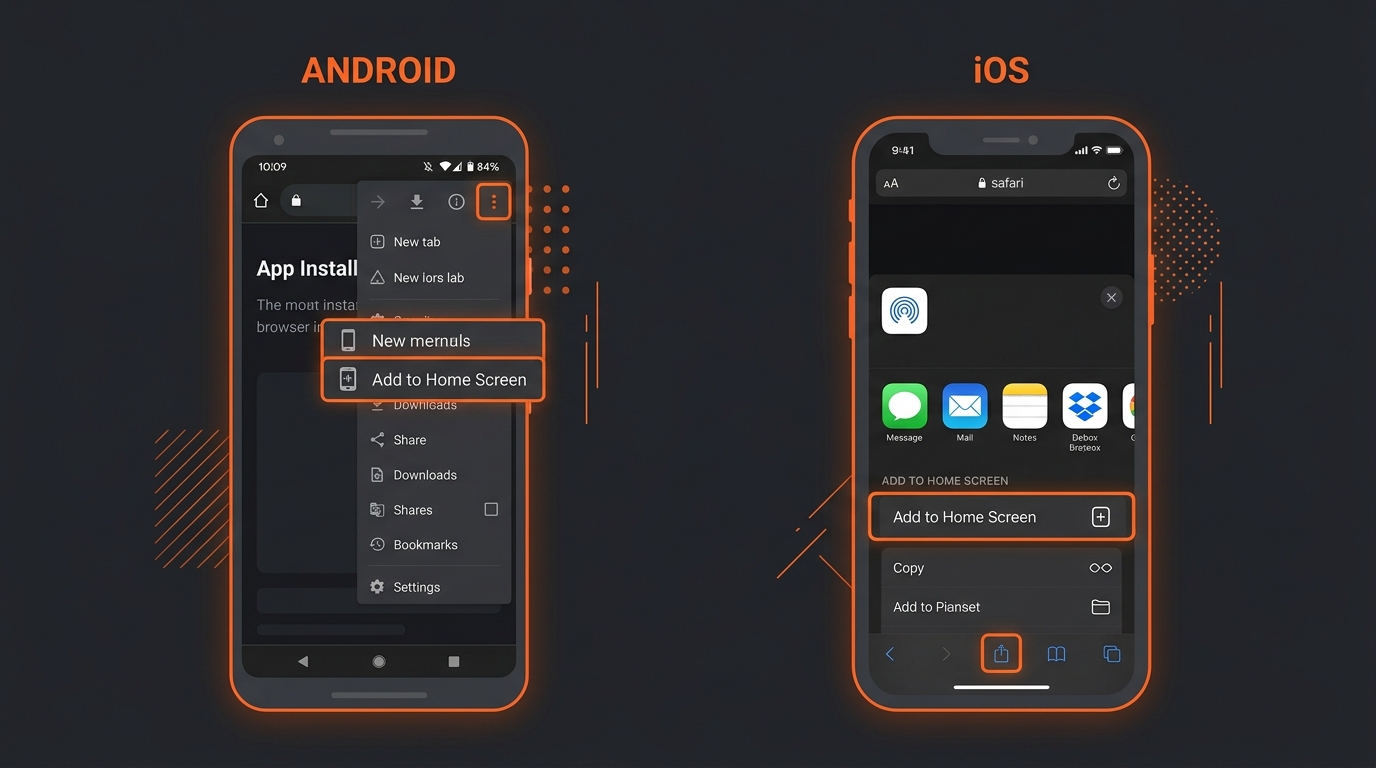
Install on Android
- Open FairPlay in Chrome Visit the official site in the Chrome browser on your Android device.
- Open the browser menu Tap the three-dot menu in the top corner.
- Choose "Add to Home screen" or "Install app" Select the option and confirm. You may be asked to name the shortcut.
- Launch from your home screen The FairPlay icon now sits with your other apps. One tap opens it full-screen.
Install on iPhone (iOS)
- Open FairPlay in Safari On iPhone, the install option lives in Safari, so open the official site there.
- Tap the Share icon It is the square with an upward arrow at the bottom of the screen.
- Choose "Add to Home Screen" Scroll the share options, select it, then tap Add.
- Open it like any app The FairPlay icon appears on your home screen and launches full-screen.
Why a PWA is a good choice
There are genuine benefits to this approach. It is light on storage, which matters on phones with limited space. It loads quickly and is gentle on data, useful on slower connections. It updates automatically, so you never run an outdated version. And it gives you the same features as the desktop site — betting, live in-play markets, casino games and payments — all in your pocket. Paired with always-on access, it means a spare few minutes is enough to check a price or manage a bet, as we explain in FairPlay 24. Another quiet advantage is consistency: because the web app and the website share the same code, anything you learn on one works in exactly the same way on the other, so there is no separate "mobile version" to relearn. And if you ever switch phones, there is nothing to migrate — you simply add it to the home screen of the new device and sign back in.
A quick safety note
Only ever install from the official FairPlay website. Because a PWA is added straight from the browser, you should be sure you are on the genuine site first — avoid links from unexpected messages, and bookmark the real address. If you are unsure how to sign in afterwards, our login guide covers it. Treat installing the app like any other security step: verify the source first, then proceed with confidence.
Frequently asked questions
Is there a FairPlay app on the Play Store or App Store?
The FairPlay app is a progressive web app you add from the browser rather than a traditional store download. This keeps it light and always up to date.
Does the web app have all the features?
Yes. You get the same betting, live in-play, casino and payment features as the desktop site, shaped for a smaller screen.
Will it use a lot of storage or data?
No. A PWA is designed to be light on both storage and data, which is part of why this approach is used.
How do I update the app?
You do not need to. Because it is web-based, it updates automatically so you are always on the latest version.
Key takeaways
- The FairPlay app is a PWA added via "Add to Home Screen", not a store download.
- On Android use Chrome's menu; on iPhone use Safari's Share icon.
- A PWA is light, fast, low on data and updates itself automatically.
- Only install from the official FairPlay website.
Having the app one tap away is convenient, which makes personal limits more important. The platform is for adults aged 18 and over — set limits and play responsibly.
Put FairPlay on your home screen
A fast, light web app with the full platform inside. Learn more about the mobile experience.
Explore the FairPlay App